
GPT Image 2
GPT Image 2 is OpenAI’s advanced image generation model in the GPT Image line, built for creating and editing images from text prompts. It offers better photorealism, more accurate text rendering, and stronger instruction following than earlier versions. Try GPT Image 2 below!
Key Features of GPT Image 2
- Realistic text rendering: Generate readable text in images more reliably
- Natural-looking, photorealistic images: Produce images with better lighting, texture and colors
- Strong prompt understanding: Follows detailed, complex instructions
- Real world intelligence: Create highly accurate, context-aware images
Realistic Text Rendering
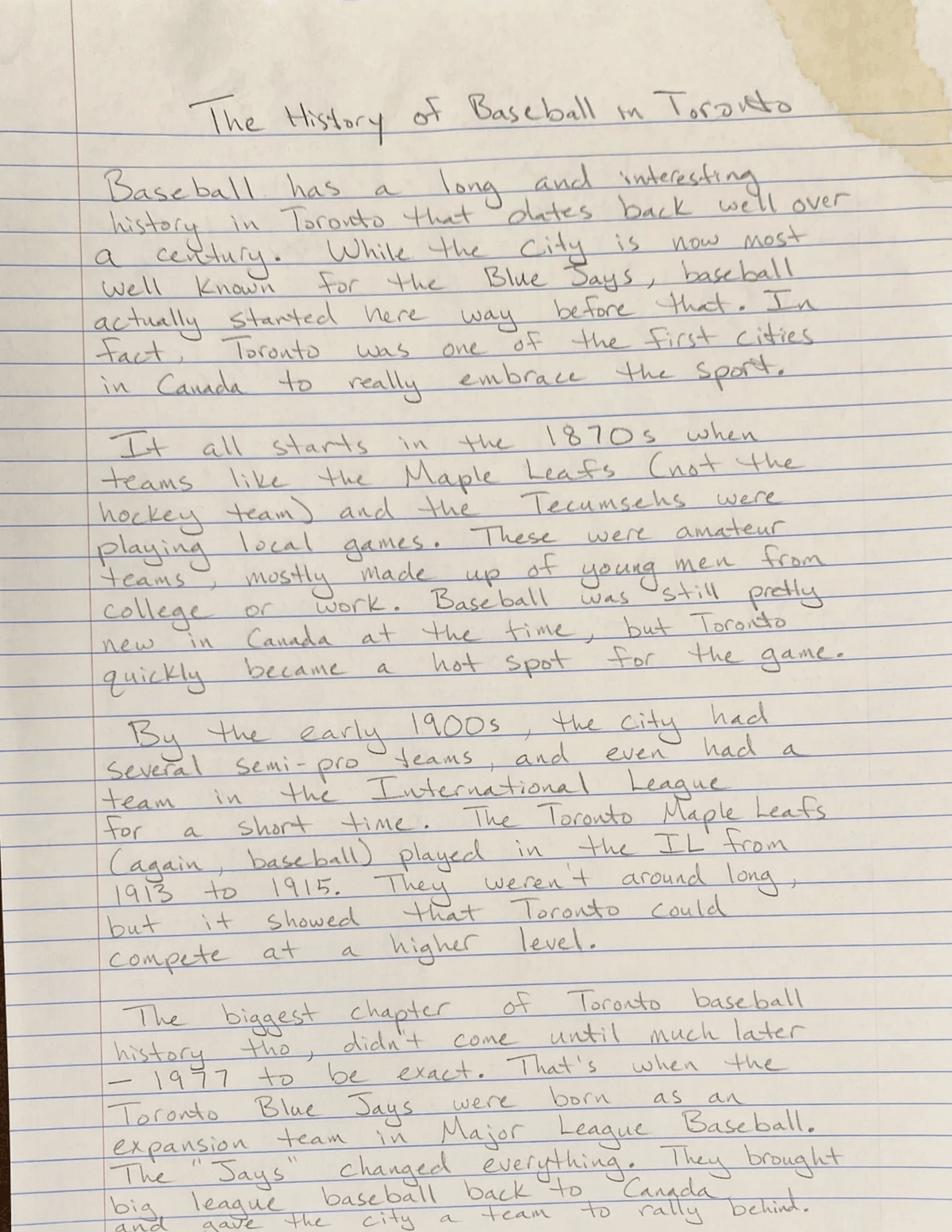
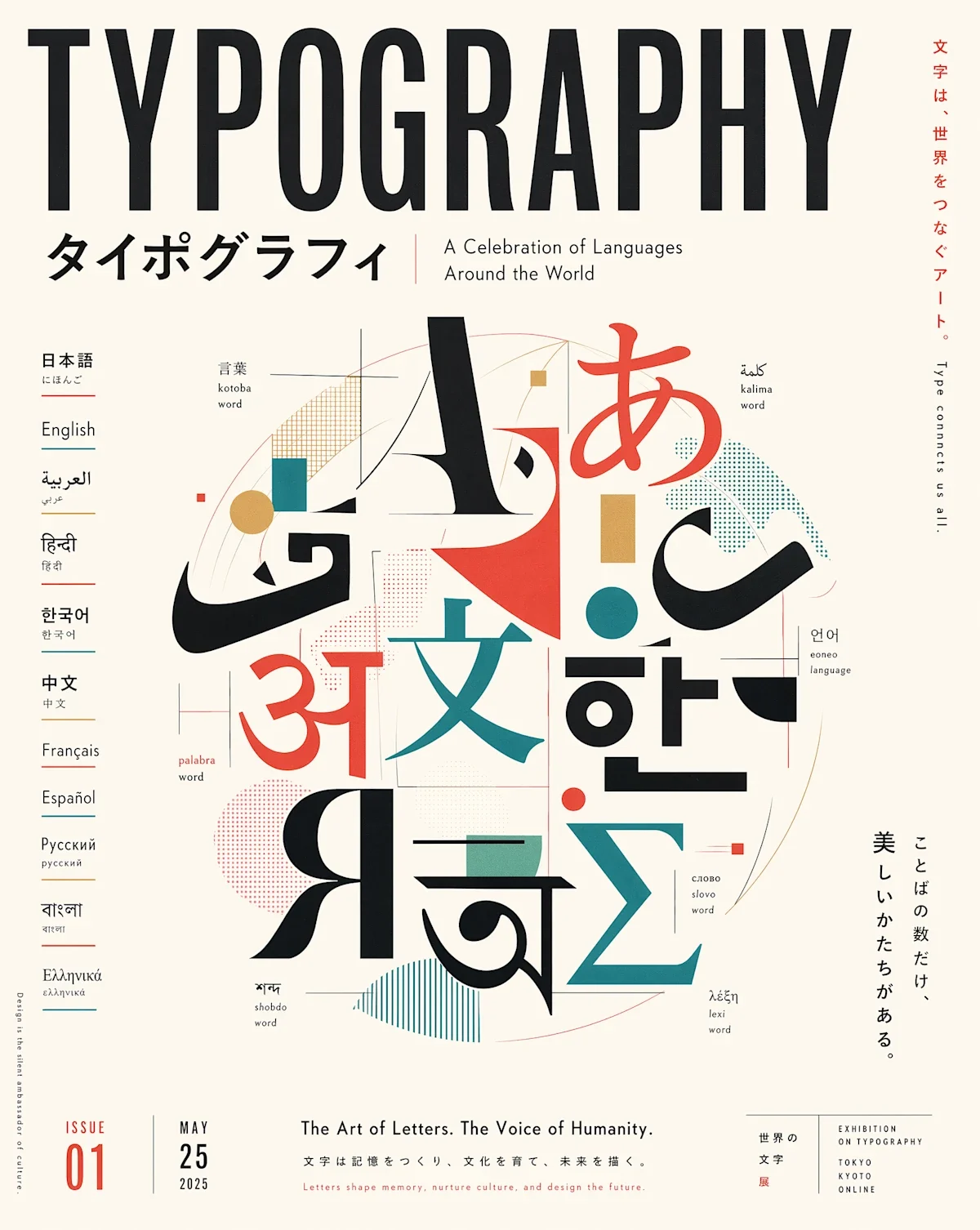
GPT Image 2 is reported to place readable text inside images much more reliably, including signs, posters, labels, UI mockups, and dense layouts. It supports realistic text rendering in multiple languages. In practice, it is more useful for marketing graphics, product packaging, presentation slides, and app/interface mockups.
| Prompt | Output Image |
| a photorealistic, taken by phone photo of a handwritten essay in pencil, bold but elegant handwriting, but messy and somewhat uneven, on an 8.5x11 piece of lined paper, about the history of baseball in toronto. make sure there is variance in the writing in a very human way. give it a slight coffee stain on the top right corner |
 |
| Generate professional multilingual poster about typography. The poster is supposed to be an artwork celebrating languages around the world. Japanese editorial style. 4:5 portrait aspect ratio |
 |
Natural-Looking, Photorealistic Images
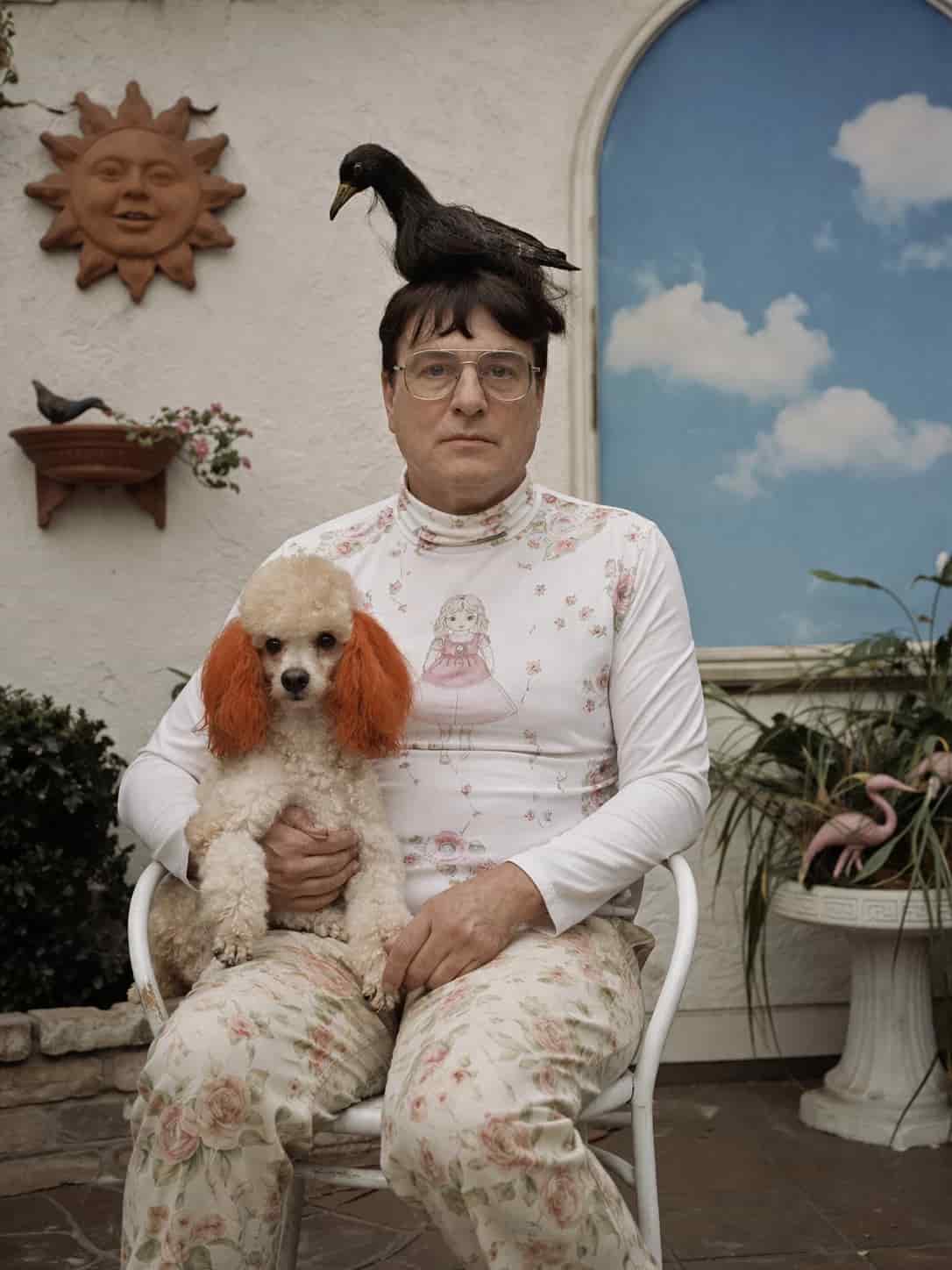
GPT Image 2 produces more natural-looking images with better lighting, skin texture, color balance, and depth of field. The improvement is not just prettier outputs, but images that are harder to distinguish from real photography in some cases. That makes it especially relevant for product shots, lifestyle imagery, portraits, and catalogue-style visuals.
| Prompt | Output Image |
| The portraits are taken outdoors, indoors, in specific, intimate, suburban settings. I don’t want to replicate this; I want to maintain the same photographic style and realism, with shots taken using view cameras with colour film and medium-format cameras with colour film, but pushing the strangeness of the subjects and locations further. Not so much in a poor and grubby way, but more in the direction of kitsch and the middle classes, yet with elements that could not exist in reality, either aesthetically or physically. |
 |
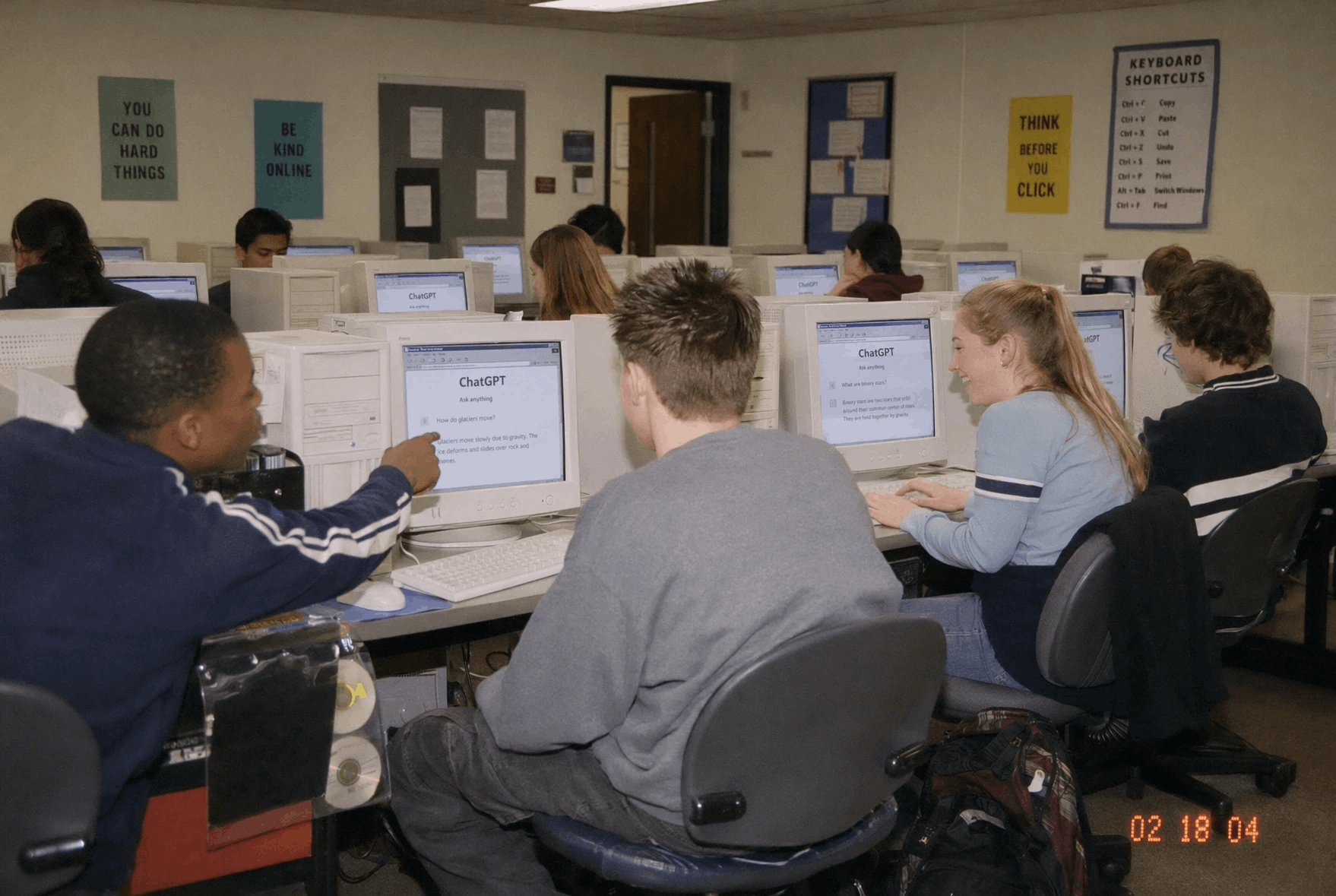
| Create one photorealistic candid disposable-camera snapshot from a fictional early 2000s American high school computer lab, alternate-history/anachronistic premise: every student is using ChatGPT on old beige CRT monitors and bulky desktop towers. Scene feels like 2002-2004: rows of tan computers, rolling chairs, Windows XP-era browser windows, ball mice, tangled cables, binder stickers, floppy disks, CD-ROM binders, overhead fluorescent lights, laminated keyboard-shortcut posters, backpacks under desks. Diverse teenage students in non-sexualized early-2000s clothes, leaning toward screens, laughing, one student pointing at a ChatGPT answer, another typing. Show simple readable screen text on several monitors: ChatGPT, Ask anything, and short chat bubbles, but do not imitate a modern polished app UI. Make it candid and nostalgic, imperfect flash photo, mild motion blur, film grain, slightly off-center composition, orange date stamp in corner reading 02 18 04. |
 |
Strong Prompt Understanding
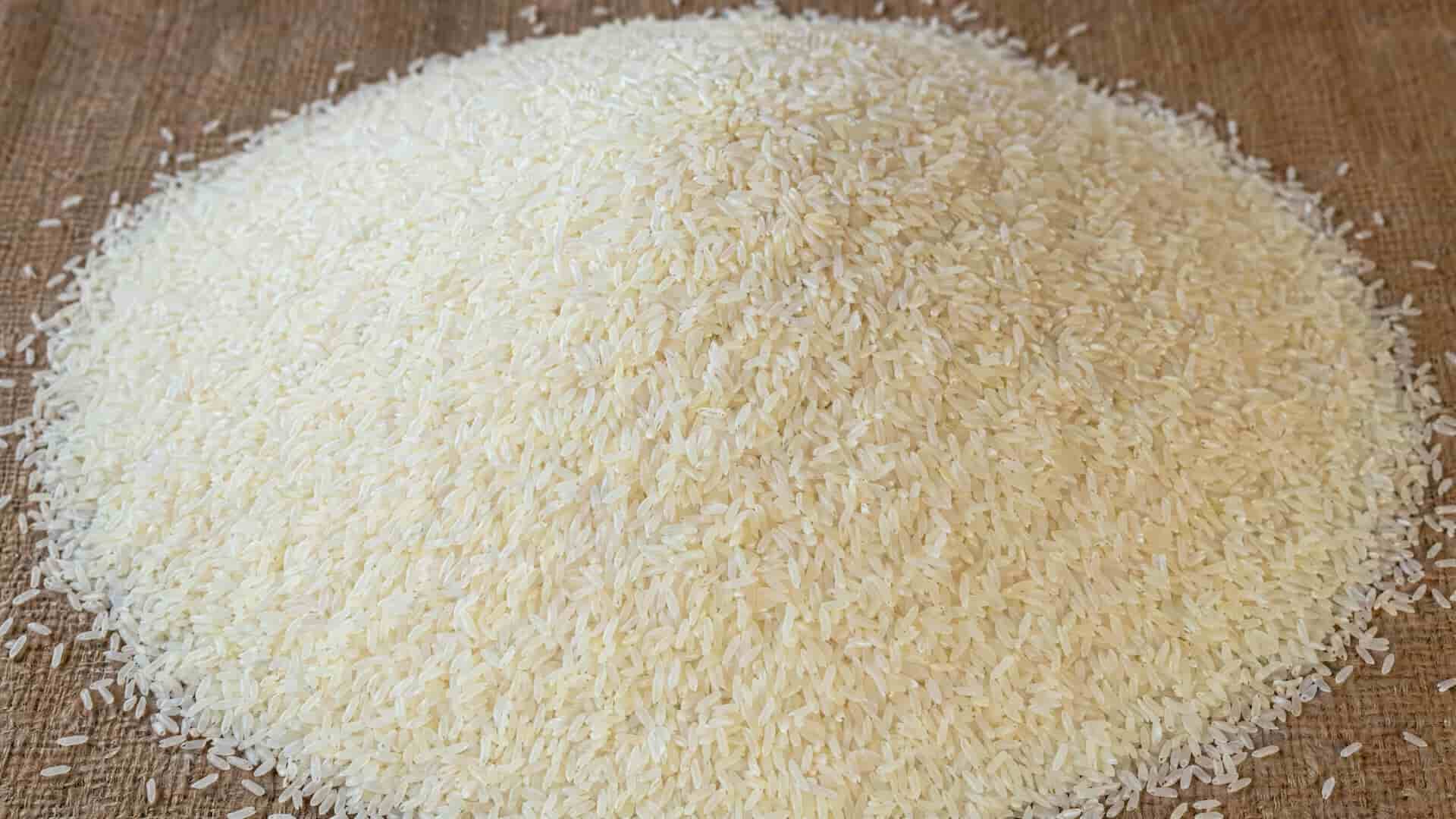
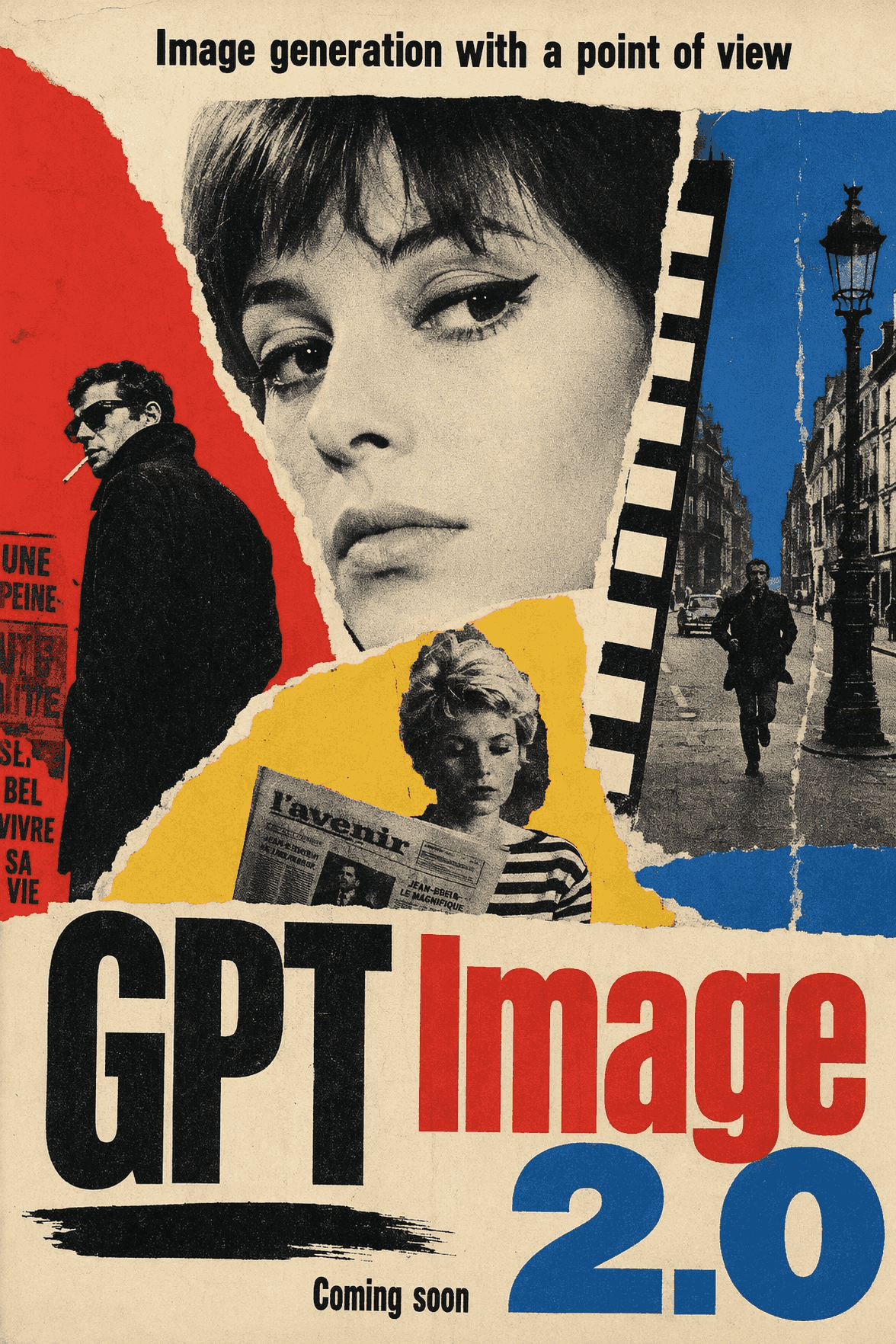
GPT Image 2 is better at following detailed instructions and handling more complex prompts. Instead of only capturing the broad idea, it is expected to respect specifics like object placement, composition, scene elements, and styling choices more consistently. This is useful when you need something structured.
| Prompt | Output Image |
| Mound of rice with thousands of grains, zoomed out. One of those grains has "GPT Image 2" etched onto it, just big enough to fit on that single grain. This rice grain is exactly the same size as the others, not any bigger or smaller, and blends into the rice mound well so it cannot be spotted at a glance. |
 |
| 1960s French New Wave theatrical poster, bold photomontage composition, torn-paper collage sensibility, pop-art color bursts, high-contrast black-and-white imagery with selective red blue and yellow accents, hand-made offset-print texture, slightly off-register ink, expressive asymmetry, art-house poster cool, graphic spontaneity, street-poster energy, adventurous typography-led design.
Poster text: - Large title at the bottom: "GPT Image 2.0" - Smaller headline at the top: "Image generation with a point of view" - Small footer text: "Coming soon" Keep all visible text in English. Use a theatrical poster composition. |
 |
Real World Intelligence
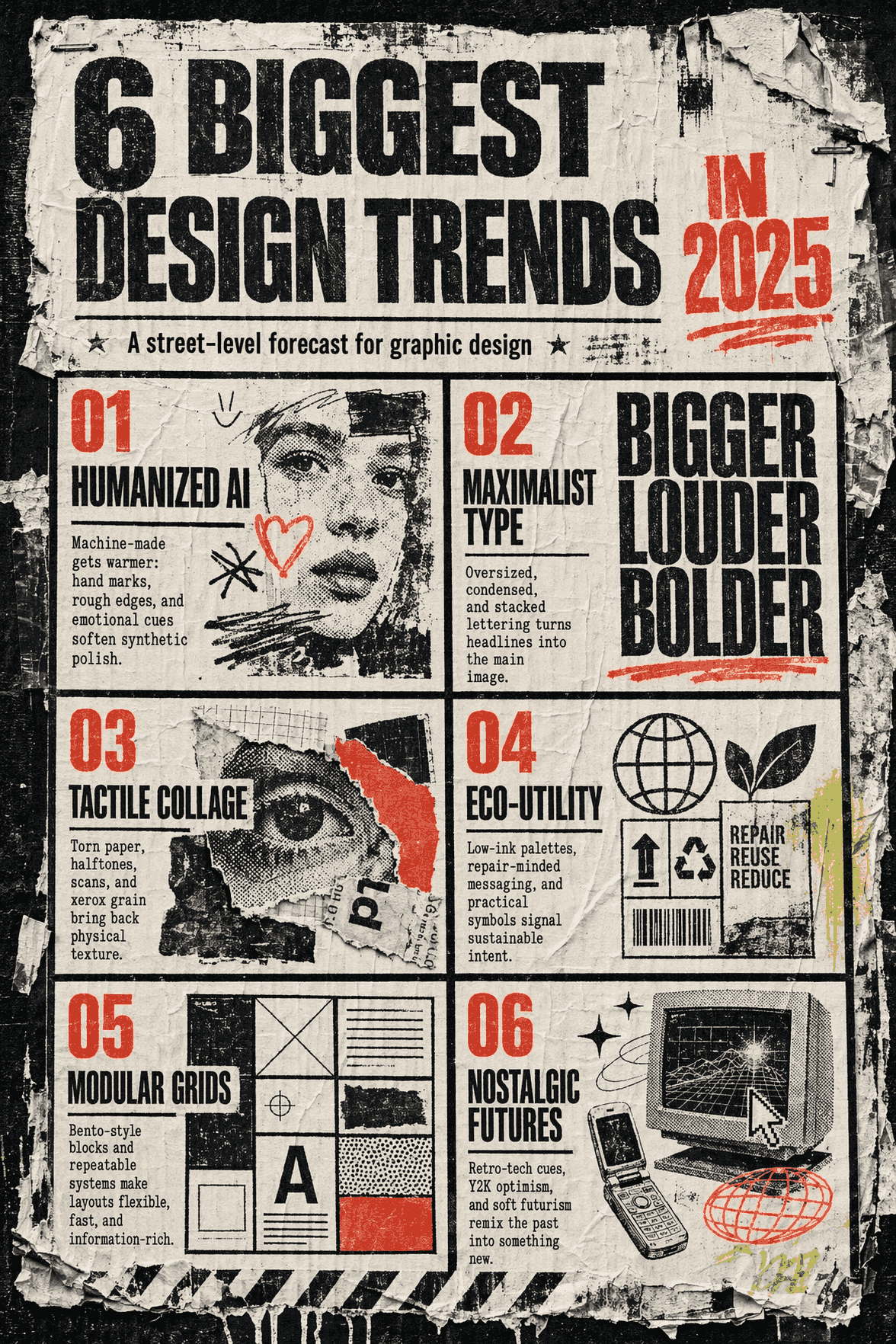
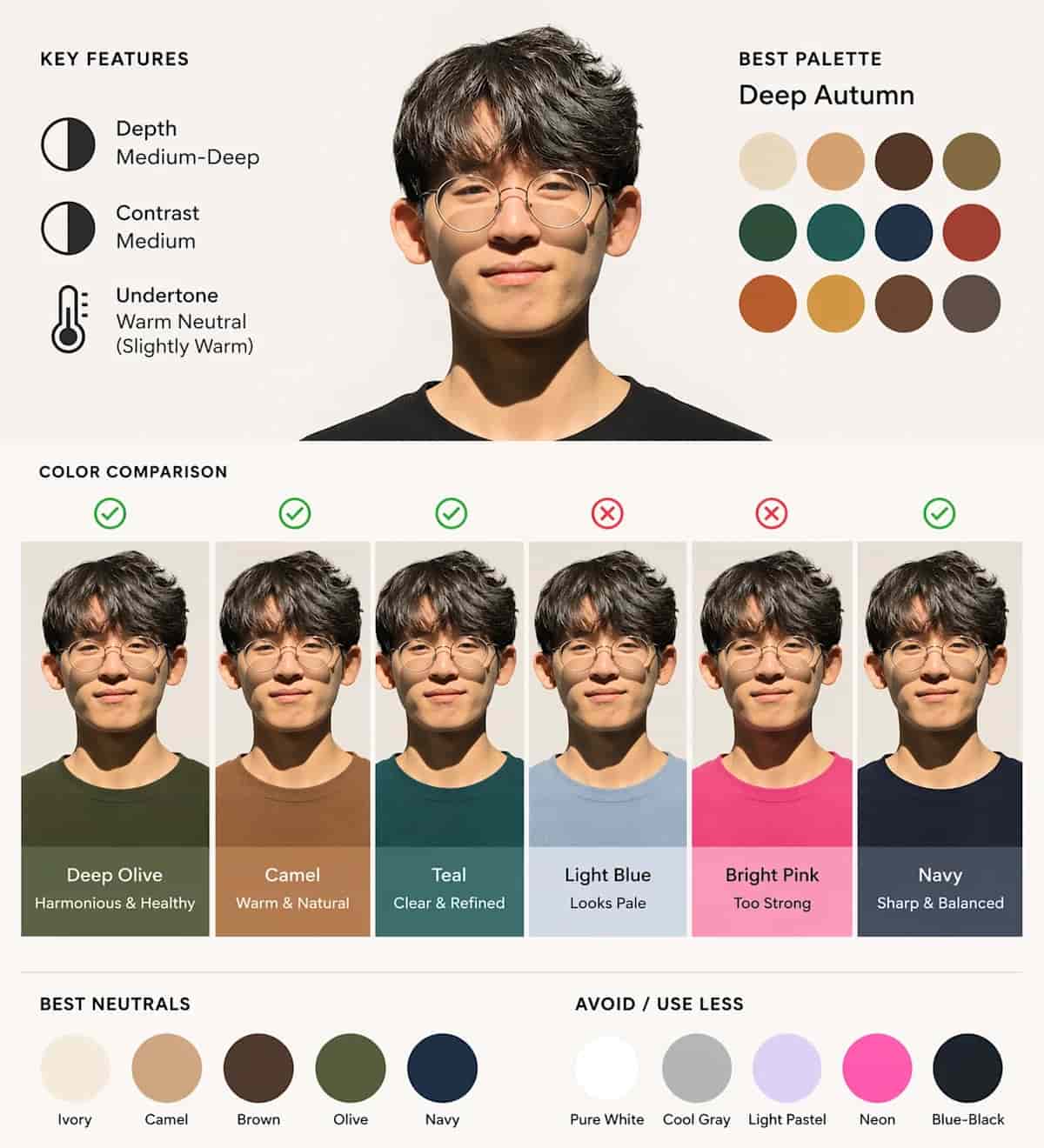
GPT Image 2 has a December 2025 knowledge cutoff. Combined with its enhanced "thinking" capabilities, it can actually search the web for real-time context to ensure the visuals it creates align with the current state of the world. It is able to produce highly accurate, context-aware, and production-ready visuals.
| Prompt | Output Image |
| make a wheatpaste poster of the 6 biggest design trends in 2025 . make sure each pane is the same size. |
 |
| Using this portrait, create a diagram-first personal color analysis. Show which clothing colors suit the subject through visual comparison. Keep text minimal and avoid paragraphs. |
 |
GPT Image 2 vs Other AI Image Models
| Attribute | GPT Image 2 | GPT Image 1.5 | Nano Banana Pro | Nano Banana 2 |
| Provider | OpenAI | |||
| Release date | April 2026 | Dec 2025 | Nov 2025 | Feb 2026 |
| Strengths | Better text rendering, stronger photorealism, improved instruction following, more native high-res options | Strong instruction following, better editing precision, more natural-looking results, faster than GPT Image | High fidelity, studio-quality controls, localized edits, strong typography, 2K/4K support | Fast generation, strong subject consistency, precise instruction following, integrated search grounding |
| Text rendering | Significantly improved vs GPT Image 1.5 | Improved dense text rendering, but not as strong as GPT Image 2 | Industry-leading fine typography | Strong text rendering, slightly less premium than Pro |
| Resolution | Up to 4K | Up to 1536 on one side | Up to 4K | Up to 4K |
| Speed | Medium | Medium | Slower | Fast |
How to Use GPT Image 2 on HIX AI
Input Your Prompt
Input your text prompt (or optionally upload your images).
Generate the Image
Start the generation and get the output image in a moment.
YouTube Videos About GPT Image 2
Reddit Posts About GPT Image 2
X Posts About GPT Image 2
Exciting news - GPT-Image-2 by @OpenAI has claimed the #1 spot across all Image Arena leaderboards!
— Arena.ai (@arena) April 21, 2026
A clean sweep with a record-breaking +242 point lead in Text-to-Image - the largest gap we’ve seen to date.
- #1 Text-to-Image (1512), +242 over #2 (Nano-banana-2 with web-search… https://t.co/YYKjhgjhsn pic.twitter.com/IBN9a1RIJ4
people are speculating GPT-Image-2 is testing on @arena.
— Blake Robbins (@blakeir) April 4, 2026
the early examples being posted are pretty mind-boggling.
all three of these images are AI generated.
h/t @sawlygg @synthwavedd pic.twitter.com/5SyHw0Wxzn
GPT-Image-2 is here! 👌
— Mark Kretschmann (@mark_k) April 21, 2026
The new image model is especially good with text rendering, as you can see here. It's rolling out right now to all OpenAI users, and should become available to you *today*. In fact you might already have it!
Check this out: pic.twitter.com/EZbE3Uk3fl
GPT Image 2 is insane for branding
— Hewar (@hewarsaber) April 21, 2026
Designers, we're cooked https://t.co/bElXuKlG9L pic.twitter.com/FVkxicDb5a
Here's the difference in quality between:
— Paul Solt (@PaulSolt) April 21, 2026
GPT Image 2 vs. Image 1.5
The old GPT model was not great with faces and was inconsistent when applied to you (Nano Banana was better than Image 1.5)
The layout and composition skills are way better too.
GPT Image 2 even highlights my… pic.twitter.com/gMIThvc9pX
Holy, OpenAI's GPT-image-2 will crush everything.
— Chubby♨️ (@kimmonismus) April 4, 2026
I remember when everyone laughed at the GPT image because it couldn't generate a proper world map. Those days are over.
And even the YouTube image is now indistinguishable from reality. Holy moly. https://t.co/kGBNMVdFVi pic.twitter.com/dlXaPU1mXR
GPT-Image-2 is insanely good with text rendering.
— Mark Kretschmann (@mark_k) April 4, 2026
These images are from @arena, where the new model family by @OpenAI was tested under various codenames (it's no longer available).
This appears to be the new multimodal model by OpenAI. Presumably GPT-5o / Spud. pic.twitter.com/OAwot5xvPE
I have been using GPT ImageGen-2 for the past weeks
— Ethan Mollick (@emollick) April 21, 2026
I didn't think that better image-generators would be a big deal but it turns out that there is a quality threshold I didn't expect, where you can now get text, slides, academic papers
Look at what it does with my "otter test"! pic.twitter.com/qWOlhmkq2F
For some reason, gpt-image-2 really sucks at generating images of Sam pic.twitter.com/fq8xcT7UdE
— Theo - t3.gg (@theo) April 21, 2026
🧵 GPT Image 1.5 (left) vs GPT Image 2 (right) generations.
— fal (@fal) April 21, 2026
Check out the differences below ⬇️ pic.twitter.com/fD9GLmKmPz
Is GPT image 2 the best model on the market? In this thread I’m going to compare it with Nano Banana 2 and Nano Banana Pro. Same prompt, different image generators. Which one is better? 🧵👇
— El IAS - Esteban Diba (@estebandiba) April 21, 2026
Prompt 1:
"Create a screenshot of a GTA VI gameplay with this character in a beach club"… pic.twitter.com/DBYRW2XLOY
GPT Image 2 is such a pleasure to use.
— OscarAI (@Artedeingenio) April 21, 2026
It’s incredible how well it handles text, even in Spanish. For infographics, it doesn’t get better than this.
I’ll definitely be using it a lot with my clients.
I’d been wanting to make something like this too: an AI hater action figure… pic.twitter.com/w5H9utYNnx
🔥 NEW: GPT-Image-2 from OpenAI tops Image Arena rankings, achieving the largest-ever lead in text-to-image performance. pic.twitter.com/t7mV1ksJ1B
— Cointelegraph (@Cointelegraph) April 21, 2026
FAQs
What makes GPT Image 2 different from earlier image models?
It is expected to be better at reading prompts, placing readable text inside images, keeping scenes coherent, and producing more realistic results.
What kinds of images can GPT Image 2 create?
It can generate a wide range of visuals, including marketing graphics, product mockups, social media assets, illustrations, posters, and photorealistic scenes.
Can GPT Image 2 edit existing images?
Yes, it is designed not only for generating new images but also for editing or transforming existing ones based on prompt instructions.
Does GPT Image 2 support different image sizes or aspect ratios?
Yes! GPT Image 2 supports more flexible sizes and formats, which makes it easier to create square, vertical, or wide-format images.

Create High-Quality Images with GPT Image 2 Now!
Try this powerful OpenAI image model easily at HIX AI.