


Have you ever wished you could clone yourself to finish your endless daily tasks? I certainly have, and that’s why AI automation is fundamentally changing the way we work. It completely handles your repetitive busywork so you can focus on what really matters.
In this article, I will walk you through exactly what AI automation is and how you can leverage it perfectly. We will explore practical tools, real-world examples and everything you need to know about how to transform your workflow.
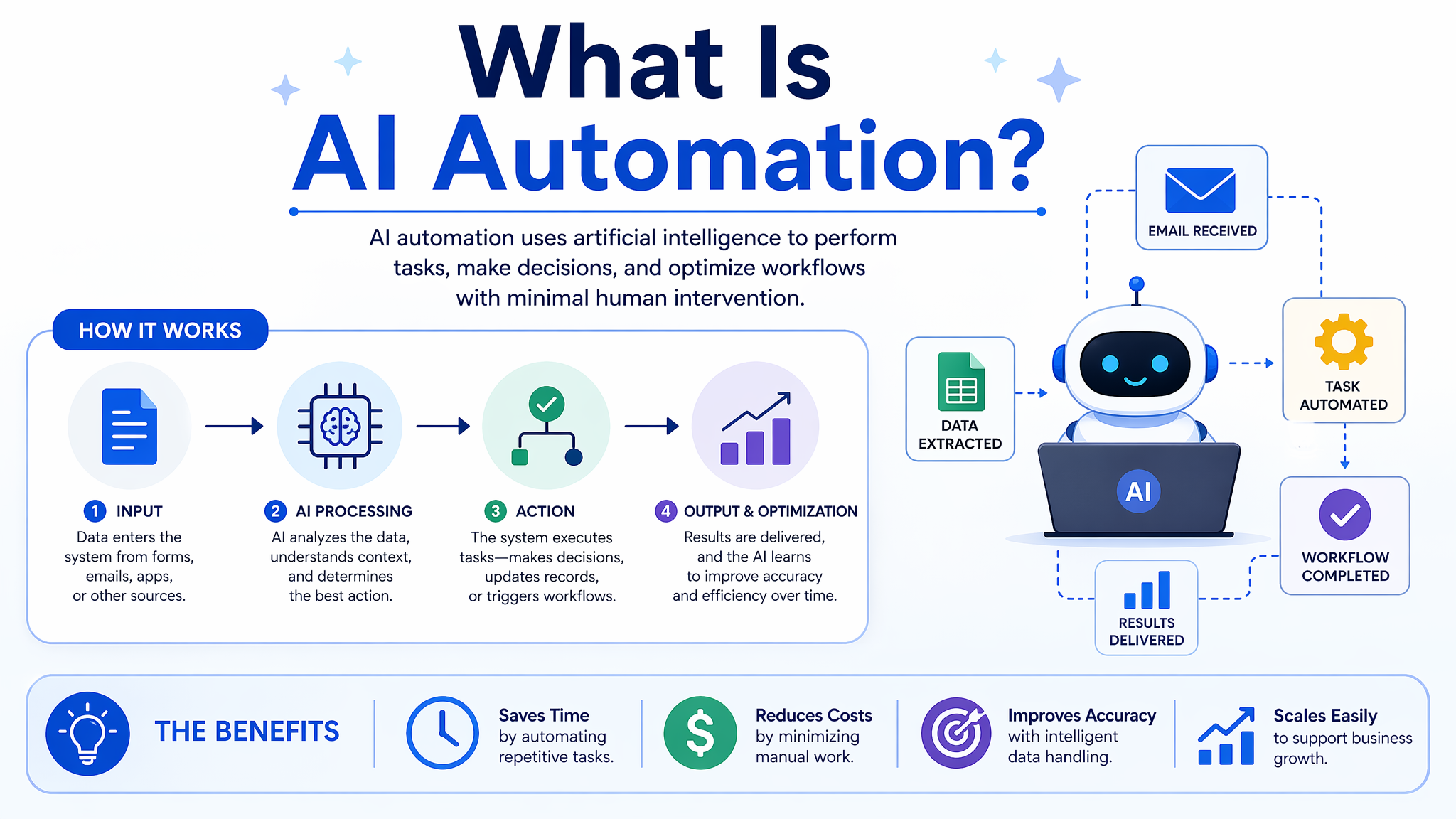
Table of Contents
What Is AI Automation?
I describe AI automation as the perfect marriage between AI and traditional software. Think of standard automation as the muscle executing repetitive steps, while AI acts as the brain making smart decisions. Together, they help you handle tasks without needing your constant supervision.
Unlike old-school automation that breaks during unexpected changes, automation AI actually learns and adapts to new information. I find this quite liberating because it takes over the cognitive heavy lifting.
You might wonder if this means giving up control, but I assure you it actually provides unprecedented leverage over your time. Ultimately, AI automation is not about replacing you; it is about upgrading you into a much more efficient version of yourself.
How Does AI Automation Work?
Here is the general workflow you can expect when you implement AI automation tools.
Data Ingestion and Collection
The very first step happens when your system gathers the necessary data to start a task. You might feed it emails, spreadsheets, or live data. I consider this the “eyes and ears” phase where the system observes what needs to be done.
Processing and Analysis
Once your data is collected, the AI starts to understand the context. Using NLP or machine learning, it extracts the exact information you need. You will notice this is where the AI acts like a human brain, making sense of messy inputs.
Smart Decision Making
After understanding the data, the AI decides based on the rules we set. It evaluates different scenarios and picks the most efficient path forward. I love this step because it removes the guesswork and hesitation from our daily operations.
Automated Execution
This is where the actual work gets done. The system triggers the final action, whether that is sending an invoice, updating a database, or replying to a ticket. You get to see the final result instantly, exactly as if you had done it yourself.
Continuous Learning
The real magic happens after your task is finished, as the AI evaluates its performance. When you correct a mistake or provide feedback, the system learns and updates its models. This means your automation gets smarter, faster, and much more accurate with every single cycle.
Differences Between AI Automation and Traditional Automation Tools?
Traditional automation relies on rule-based programming where every “if-then” step is explicitly defined by humans. These tools excel at predictable, repetitive tasks but completely lack the ability to adapt to unexpected changes or process unstructured data.
Conversely, AI automation uses machine learning and cognitive technologies to understand context, learn from data, and make independent decisions. This allows the system to handle complex, unstructured information and autonomously adapt to new scenarios without requiring manual reprogramming.
What Are Examples of AI Automation?
I have gathered three real-world examples to show you how automation AI operates. Let’s look at how you can apply these directly to your own daily workflow.
Intelligent Customer Support
You have probably noticed how fast modern support systems resolve your issues. I use AI to instantly read incoming tickets, categorize them and draft accurate responses. This ensures your customers get immediate help.
Personalized Marketing Campaigns
I love using AI to analyze user behavior on my site to trigger specific, highly relevant marketing funnels. You will see much higher engagement because the AI knows exactly what your audience wants to see.
Automated Invoice Processing
I am sure you agree that nobody enjoys manually typing data from receipts into accounting software. You can set up an AI to scan every incoming invoice, extract numbers, and update your ledgers completely automatically. I promise you will never want to go back to manual data entry after experiencing this setup.
Want a Powerful AI Automation Tool?
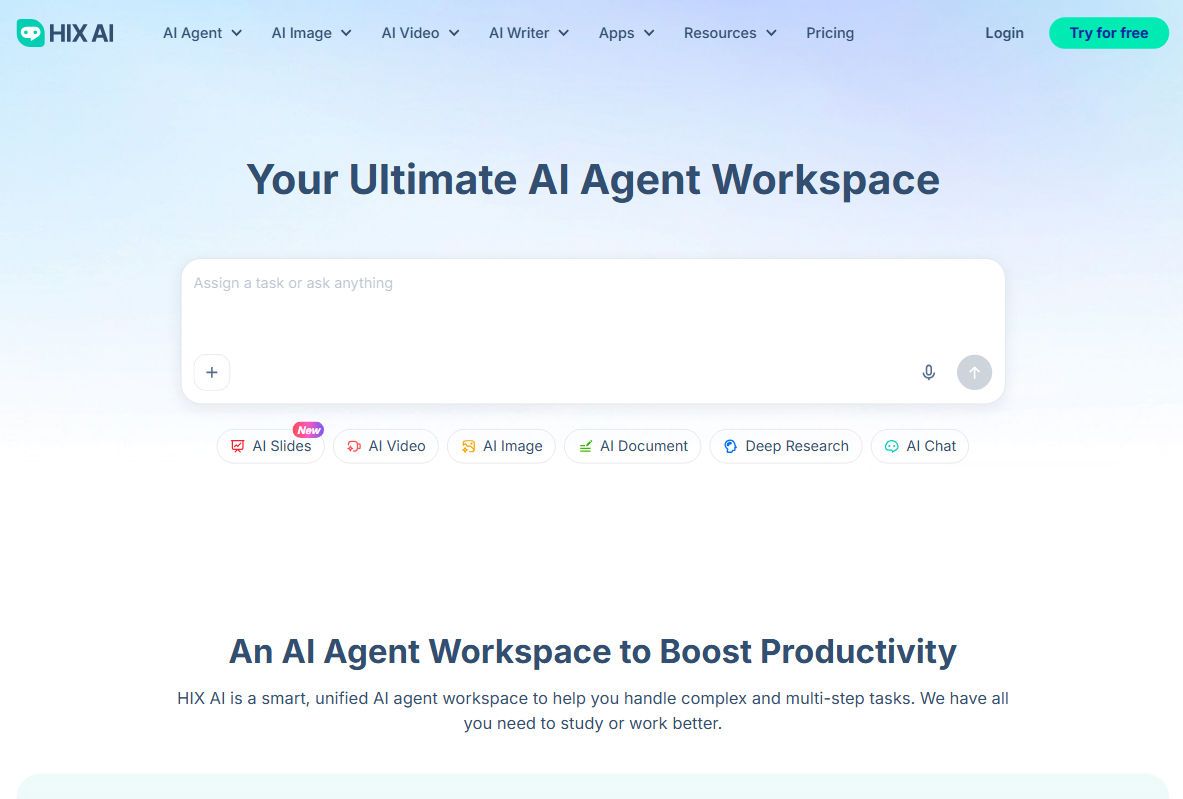
If you are looking for a complete solution, I recommend checking out HIX AI as your ultimate AI agent workspace. Instead of juggling multiple apps, you get a unified platform that automates your complex, multi-step tasks.
What sets HIX AI apart is its smart agentic workflows that actually plan and execute tasks on your behalf. Whether you need deep research, video generation or polished slides, the tool acts like a dedicated director.
It conveniently brings everything together in one place for you. You simply assign a goal, and the AI coordinates different subagents to deliver incredible results.
HIX.AI
4.9/5.0
Your ultimate AI agent workspace to boost your work and study productivity.
- Handle complex, multi-step tasks with simple prompts.
- Multiple expert-like subagents coordinated to complete your tasks.
- Powered by cutting-edge AI models.
- Research deeply and create professional reports/slide decks.
- Create on-brand, consistent marketing assets in one flow.
- Generate publish-ready visual documents and functional code.
Key Strategies for Implementing AI Automation
Here are 3 key strategies to help you implement AI automation to ensure seamless integration:
💡 Prioritize High-Impact Workflows
Begin by pinpointing data-heavy bottlenecks that constantly drain your human resources. Target these specific areas first to secure measurable wins and demonstrate immediate ROI. This approach minimizes operational disruption while quickly proving the technology’s value.
💡 Establish a Strong Data Basis
AI systems are only as effective as the information they process, making strong data governance critical. Clean your data before deployment to prevent AI hallucinations and inaccurate outputs. A unified data foundation ensures your automation tools make reliable decisions.
💡 Foster Human-AI Collaboration
Position AI as a tool designed to augment your workforce rather than completely replace it. Invest in upskilling so employees can confidently manage and refine these new automated systems. Empowering your staff drives innovation and reduces internal resistance to change.
What Is the Future of AI Automation?
Looking ahead, I see automation AI evolving from simple task execution to fully autonomous agents managing complex projects. You will soon work alongside digital colleagues that anticipate problems before they even happen. This future is entirely about intelligent problem-solving.
This advancement means your focus will naturally shift toward strategy, creativity, and empathy. I believe your most valuable skill will be your ability to collaborate seamlessly with these systems.
Conclusion
We have explored everything from the basic mechanics of AI automation to practical tools you can start using today.
I highly recommend starting small by automating just one tedious task to see the magic for yourself. Let the AI automation tools step in and help unlock your potential!